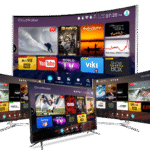
What Is IPTV?
IPTV (Internet Protocol Television) is a method of delivering television content over the internet rather than through traditional cable, satellite, or antenna signals. Instead of receiving TV channels via a coaxial cable or a satellite dish, IPTV streams live and on-demand content directly through your broadband internet connection.
In simple terms: IPTV turns your internet connection into a TV service. You can watch thousands of live channels, sports events, movies, and TV series — on any device, anywhere in the world.
How Does IPTV Work?
IPTV works by converting TV signals into data packets and transmitting them over an IP (Internet Protocol) network — the same technology that powers websites, email, and video calls. Here’s the process in steps:
- Content is sourced — the IPTV provider licences or acquires TV channels and on-demand content from broadcasters worldwide.
- Content is encoded — video is compressed into formats like H.264 or H.265 and stored on secure servers.
- Content is streamed — when you press play, your IPTV app sends a request to the provider’s server, which streams the video data to your device in real time.
- Your device decodes it — your TV, phone, Firestick, or set-top box decodes the stream and displays it on screen.
The entire process takes milliseconds. With a stable broadband connection of 25 Mbps or more, IPTV delivers smooth HD and 4K streaming with no lag.
IPTV vs Cable TV vs Satellite — What’s the Difference?
| Feature | IPTV | Cable TV | Satellite TV |
|---|---|---|---|
| Delivery method | Internet (IP network) | Coaxial cable | Satellite dish |
| Average monthly cost | $10–$25 | $80–$150 | $60–$120 |
| Number of channels | Up to 32,000+ | 200–500 | 200–700 |
| 4K quality available | Yes | Limited | Limited |
| Works on mobile devices | Yes | No | No |
| Installation required | No | Yes | Yes (dish) |
| International channels | Yes (thousands) | Very limited | Limited |
| Contract required | Usually no | Usually yes | Usually yes |
Types of IPTV Services
There are three main types of IPTV content delivery:
1. Live IPTV
Live IPTV streams TV channels in real time, exactly like traditional TV. You can watch news, sports, and entertainment as it broadcasts. Premium providers like Smart4KCC carry 32,000+ live channels from the US, UK, Canada, Europe, and beyond.
2. Video on Demand (VOD)
VOD lets you watch movies and TV series whenever you want. Smart4KCC’s library includes 120,000+ on-demand titles — from new releases to classic films — available 24/7.
3. Time-Shifted TV (Catch-Up)
Time-shifted IPTV lets you watch programmes that aired in the past — typically up to 7 days back. This means you never miss a show even if you forgot to record it.
What Devices Work With IPTV?
IPTV works on virtually every modern device. Here are the most popular options:
- Amazon Firestick / Fire TV — the most popular IPTV device; easy setup, portable, affordable. See our Firestick setup guide →
- Android TV Box — powerful, runs full Android, supports all IPTV apps.
- Samsung / LG Smart TV — install IPTV apps directly via the app store.
- Apple TV — use apps like IPTV Smarters or GSE Smart IPTV.
- Roku — limited but possible via compatible channels.
- iPhone & iPad — iOS IPTV apps available on the App Store.
- Android smartphone & tablet — wide range of Android IPTV apps.
- PC / Mac — use VLC, Perfect Player, or a browser-based player.
- MAG Box — dedicated IPTV set-top boxes with built-in portal support.
What Internet Speed Do You Need for IPTV?
Your internet speed determines the quality of your IPTV stream. Here are the minimum recommended speeds:
- SD quality (480p): 5 Mbps download
- HD quality (720p / 1080p): 15–25 Mbps download
- 4K Ultra HD: 50 Mbps download minimum (100 Mbps recommended for stability)
- Multiple simultaneous streams: multiply by the number of screens
For the best IPTV experience, use a wired ethernet connection rather than WiFi whenever possible. If you use WiFi, connect to a 5GHz band rather than 2.4GHz.
Is IPTV Legal?
IPTV as a technology is completely legal. What determines legality is the provider you use and the content they carry.
Legal IPTV services include providers who have licenced agreements with content owners and broadcasters. Examples include Hulu Live, YouTube TV, Sling TV, and premium subscription services like Smart4KCC that operate under proper licensing arrangements.
Illegal IPTV refers to services that redistribute copyright-protected content without authorisation — often very cheap or “free” services offering thousands of channels at suspiciously low prices. Using such services may expose you to legal risk depending on your country.
Always choose a reputable, licensed IPTV provider to ensure you’re streaming legally and getting reliable service.
How to Get Started With IPTV
Getting started with IPTV takes less than 10 minutes. Here’s what you need to do:
- Choose a provider — select a reputable IPTV service. Try Smart4KCC free — no credit card required.
- Choose your device — decide which device you’ll stream on (Firestick, Smart TV, phone, etc.).
- Install an IPTV app — download an app like IPTV Smarters Pro, TiviMate, or GSE Smart IPTV depending on your device. See our best IPTV apps guide →
- Enter your credentials — your provider will give you an M3U playlist URL or Xtream Codes login. Enter these in your app.
- Start watching — your channels load automatically. Browse by category and enjoy.
Why Choose Smart4KCC for IPTV?
Smart4KCC is a premium IPTV provider trusted by customers across the USA, Canada, UK, and Europe. Here’s what sets it apart:
- 32,000+ live channels — the largest channel library available, covering sports, news, entertainment, kids, and international content.
- 120,000+ VOD titles — movies and series on demand, updated weekly.
- Anti-Freeze™ technology — proprietary stream stabilisation that prevents buffering even during peak hours.
- 4K & HD quality — streams in Full HD and 4K Ultra HD where available.
- Works on all devices — Firestick, Smart TV, Android, iOS, PC, MAG box, and more.
- Free trial available — test before you subscribe, no credit card needed.
- 24/7 customer support — live chat and ticket support always available.
Start your free IPTV trial with Smart4KCC today →
Frequently Asked Questions About IPTV
What does IPTV stand for?
IPTV stands for Internet Protocol Television. It refers to any television service delivered over an internet protocol (IP) network rather than traditional broadcast, cable, or satellite methods.
Do I need a smart TV for IPTV?
No. You can use IPTV on any TV by adding an Amazon Firestick, Android TV box, or similar streaming device. Smart TVs are convenient but not required — any TV with an HDMI port can run IPTV with an external device.
Can I use IPTV without a subscription?
Some free IPTV services exist (like Pluto TV and Tubi), but they offer a very limited channel selection and are ad-supported. For full access to thousands of live channels and VOD content, a paid IPTV subscription is required.
Does IPTV work outside my country?
Yes. IPTV works anywhere with a broadband internet connection. Smart4KCC customers stream successfully from the USA, Canada, UK, Europe, Australia, and worldwide. Some geo-restricted channels may require a VPN.
What is an M3U playlist?
An M3U playlist is a file or URL that contains a list of IPTV channel streams. Your IPTV provider gives you an M3U URL which you enter into your IPTV app to load all your channels automatically.
How many devices can I use with one IPTV subscription?
This depends on your plan. Smart4KCC offers plans supporting 1, 2, 3, or more simultaneous connections. See multi-device plans →