
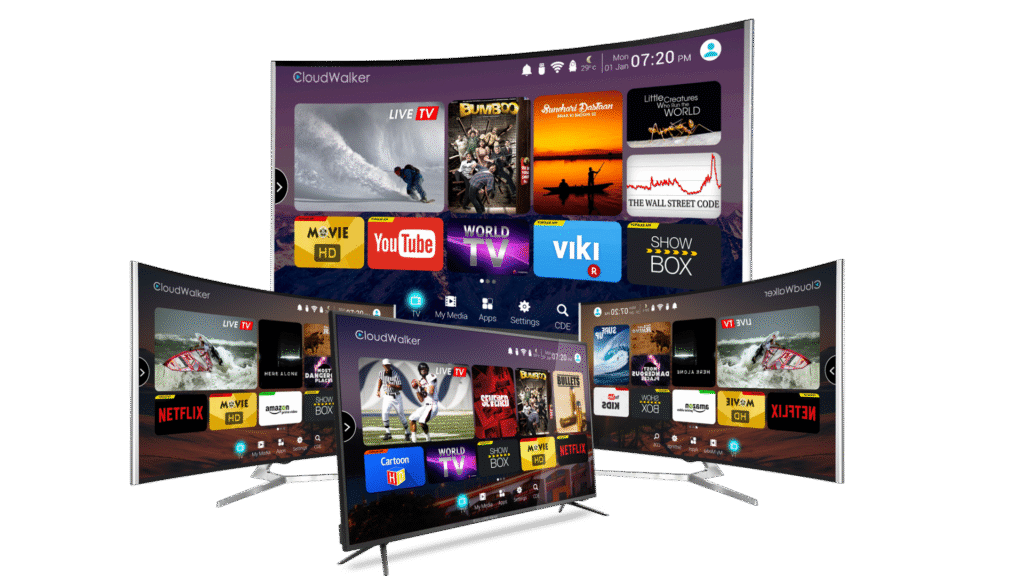
Want to watch IPTV on your Mac? Whether you have a MacBook, iMac, or Mac Mini, setting up IPTV on macOS is quick and easy. This 2026 guide shows you the best IPTV apps for Mac and walks you through setup step by step using VLC, IPTV Smarters, and Infuse.
Start your free Smart4KCC trial and get your M3U URL ready.
What You Need to Watch IPTV on Mac
- A Mac running macOS (Intel or Apple Silicon M1/M2/M3)
- A stable internet connection (15 Mbps+ for HD, 25 Mbps+ for 4K)
- An active IPTV subscription with an M3U URL or Xtream Codes login
- A compatible IPTV player app (listed below)
Best IPTV Apps for Mac in 2026
- VLC Media Player — Free, supports M3U playlists natively, works on all Macs
- IPTV Smarters Pro — TV-like interface with EPG, available on Mac App Store
- Infuse 7 — Premium, beautiful Mac/Apple Silicon app with M3U support
- GSE Smart IPTV — Lightweight player with good EPG support
- Kodi — Full media centre with PVR IPTV Simple Client
How to Set Up IPTV on Mac Using VLC (Easiest Method)
- Download VLC for Mac — Go to videolan.org and download VLC for macOS. Drag it into your Applications folder.
- Open VLC — Launch VLC from your Applications folder or Launchpad.
- Go to File → Open Network — In the top menu bar, click File, then Open Network (or press
Cmd+N). - Enter your M3U URL — Paste your IPTV subscription’s M3U playlist URL into the URL field.
- Click Open — VLC loads the playlist and starts playing. View all channels via Window → Playlist.
- Save your playlist — For quick future access, go to File → Save Playlist to store your M3U locally.
How to Set Up IPTV on Mac Using IPTV Smarters
- Install IPTV Smarters — Open the Mac App Store, search “IPTV Smarters”, and install it. (On Apple Silicon Macs you can also run the iOS version.)
- Open the app — Launch IPTV Smarters and tap Add New User.
- Choose login type — Select Login with M3U URL or Login with Xtream Codes API.
- Enter your details — Paste your M3U URL (or enter your Xtream server, username, and password from Smart4KCC).
- Load content — The app fetches channels, VOD, and EPG. This takes 1–2 minutes on first load.
- Start watching — Browse Live TV, Movies, or Series and enjoy.
How to Set Up IPTV on Mac Using Infuse
Infuse offers a premium, beautifully designed experience on Mac:
- Download Infuse from the Mac App Store.
- Open Infuse and go to Settings → Playlists.
- Add your M3U URL as a new playlist source.
- Infuse loads your channels with rich metadata and artwork.
- Browse and play your IPTV channels.
Mac vs PC for IPTV
Both Mac and Windows handle IPTV equally well. The main difference is app availability — Mac has Infuse, while Windows has more emulator options for Android apps like TiviMate. For Windows setup, see our IPTV on PC guide.
Troubleshooting IPTV on Mac
- Buffering: Use Ethernet, increase VLC network caching (Preferences → Input/Codecs), close other apps. See our buffering fix guide.
- Won’t load: Verify your M3U URL is correct and active; check macOS firewall settings.
- Black screen: Switch VLC video output in Preferences → Video. See our black screen fix.
- Freezing: Use a wired connection and a quality provider. See our freezing fix guide.
Why Choose Smart4KCC for Mac IPTV?
- 20,000+ live channels, 4K and Full HD
- Works with VLC, IPTV Smarters, Infuse, and Kodi on Mac
- M3U URL and Xtream Codes supported
- Anti-freeze technology and 24/7 support
- Plans from £9.99/month
Try Smart4KCC free for 24 hours on your Mac.
Frequently Asked Questions
Can I watch IPTV on a MacBook?
Yes. Any MacBook running macOS can run IPTV apps like VLC, IPTV Smarters, or Infuse. You just need an active IPTV subscription and a stable internet connection.
What is the best IPTV player for Mac?
VLC is the best free IPTV player for Mac. For a premium experience, Infuse 7 offers beautiful design and great M3U support. IPTV Smarters is best for a TV-like interface with EPG.
Does IPTV work on Apple Silicon Macs?
Yes. IPTV works perfectly on M1, M2, and M3 Macs. You can use native Mac apps like VLC and Infuse, or run iOS IPTV apps directly on Apple Silicon.
How do I add an M3U URL on Mac?
In VLC, go to File → Open Network (Cmd+N) and paste your M3U URL. In IPTV Smarters or Infuse, add the M3U URL as a new playlist source in the app’s settings.
Is IPTV on Mac legal?
Using IPTV on a Mac is legal when you use a licensed provider. The legality depends on the service, not the device. See our Is IPTV Legal guide.