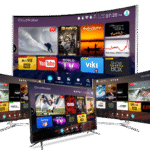
LG Smart TVs run webOS and make a fantastic platform for IPTV. With apps like IPTV Smarters Pro, SS IPTV, and Smart IPTV available in the LG Content Store, you can stream thousands of live channels in HD and 4K directly on your LG TV — no extra device needed. This guide shows you exactly how to set up IPTV on any LG Smart TV in 2026.
Start your free Smart4KCC trial and get your M3U URL before you begin.
What You Need
- An LG Smart TV running webOS (most models from 2016 onward)
- A stable internet connection (15 Mbps+ for HD, 25 Mbps+ for 4K)
- An active IPTV subscription with an M3U URL or Xtream Codes login
- An IPTV app from the LG Content Store
Best IPTV Apps for LG Smart TV in 2026
- IPTV Smarters Pro — Clean interface, EPG support, Xtream Codes and M3U
- SS IPTV — Free, popular, easy M3U setup
- Smart IPTV (SIPTV) — Reliable, uses a one-time activation fee
- Net IPTV — Lightweight alternative with M3U support
How to Set Up IPTV on LG Smart TV Using IPTV Smarters Pro
- Turn on your LG TV and make sure it’s connected to the internet.
- Open the LG Content Store — Press the Home button on your remote and select the LG Content Store.
- Search for “IPTV Smarters Pro” — Use the search bar to find the app.
- Install the app — Select it and click Install. Wait for it to download.
- Open IPTV Smarters Pro — Launch the app from your apps list.
- Add your login — Choose “Login with Xtream Codes API” or “Load Your Playlist or File/URL” depending on what your provider gave you.
- Enter your details — Type your M3U URL (or server URL, username, password for Xtream) provided by Smart4KCC, then confirm.
- Wait for channels to load — The app fetches all channels, VOD, and EPG data. This takes 1–2 minutes.
- Start watching — Browse Live TV, Movies, or Series and enjoy.
How to Set Up IPTV on LG Smart TV Using SS IPTV
- Open the LG Content Store and search for “SS IPTV.” Install it.
- Open SS IPTV and go to Settings.
- Under the General tab, note your device’s connection code, or go to the Content tab to add a playlist.
- Select “Add” → “External Playlists” and enter your M3U URL.
- Save and return to the main screen to load your channels.
How to Install IPTV on LG TV via USB (Older Models)
If your LG app isn’t in the Content Store, you can side-load some apps, but the easiest route for older webOS models is to use SS IPTV with an external playlist URL as described above. For very old LG TVs without app support, consider an Amazon Firestick — see our Firestick IPTV guide.
Troubleshooting IPTV on LG Smart TV
App Won’t Install
- Make sure your webOS firmware is up to date: Settings → All Settings → General → About This TV → Check for Updates
- Restart the TV by unplugging it for 60 seconds
- Sign in to an LG account if prompted
IPTV Buffering on LG TV
Use a wired Ethernet connection, lower the stream quality, and restart your router. For more fixes, see our IPTV buffering guide.
Black Screen on LG IPTV
A black screen is often a codec or stream issue. See our IPTV Black Screen Fix guide. Try reloading the channel or restarting the app.
Recommended Internet Speed for LG TV IPTV
- HD (720p/1080p): 10–15 Mbps
- Full HD: 15–25 Mbps
- 4K UHD: 25–50 Mbps
Why Choose Smart4KCC for LG Smart TV?
- 20,000+ channels compatible with all LG IPTV apps
- 4K and Full HD with anti-freeze servers
- M3U URL and Xtream Codes supported
- 24/7 support
- Plans from £9.99/month
Try Smart4KCC free for 24 hours on your LG Smart TV.
Frequently Asked Questions
How do I install IPTV on my LG Smart TV?
Open the LG Content Store, search for IPTV Smarters Pro or SS IPTV, install the app, then enter your M3U URL or Xtream Codes login from your IPTV provider. The app loads your channels and you can start watching.
What is the best IPTV app for LG Smart TV?
IPTV Smarters Pro is the best IPTV app for LG webOS TVs thanks to its clean interface and EPG support. SS IPTV and Smart IPTV are good free alternatives.
Can all LG Smart TVs run IPTV?
Most LG Smart TVs from 2016 onward running webOS support IPTV apps. Very old models may lack app support — in that case, use an Amazon Firestick or Android box.
Is IPTV free on LG Smart TV?
The IPTV apps themselves are often free or low-cost, but you need an active IPTV subscription for the channels. Smart4KCC offers a free trial and plans from £9.99/month.
Why is my IPTV not working on LG TV?
Check your internet connection, update the webOS firmware, verify your M3U URL is correct and active, and restart the TV. If problems persist, reinstall the IPTV app.