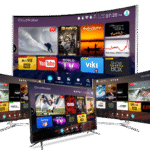
4K IPTV streaming in 2026 is no longer a luxury — it’s the new standard for anyone with a 4K TV. But not all IPTV providers deliver genuine 4K quality. Many advertise “4K” while actually streaming upscaled 1080p content. This guide covers what real 4K IPTV looks like, what hardware you need, and why Smart4KCC leads the field for 4K streaming quality.
What Is 4K IPTV?
True 4K IPTV streams content at 3840 × 2160 pixels — four times the resolution of Full HD (1080p). Combined with HDR (High Dynamic Range) colour, 4K IPTV delivers cinema-quality picture on compatible TVs and devices.
To benefit from 4K IPTV you need three things: a 4K TV, a 4K-capable streaming device, and an IPTV provider that actually streams in native 4K — not upscaled HD.
What Internet Speed Do You Need for 4K IPTV?
Bandwidth is the primary barrier to 4K IPTV. Here’s what’s required:
| Quality | Minimum Speed | Recommended Speed |
|---|---|---|
| SD (480p) | 5 Mbps | 10 Mbps |
| HD (720p) | 10 Mbps | 20 Mbps |
| Full HD (1080p) | 25 Mbps | 40 Mbps |
| 4K (2160p) | 50 Mbps | 100 Mbps |
| 4K HDR | 75 Mbps | 150 Mbps |
These speeds are for a single stream. If multiple people are streaming on the same network, multiply accordingly. A wired ethernet connection is strongly recommended for 4K IPTV — WiFi introduces latency spikes that can cause 4K streams to downgrade to HD mid-stream.
Best Devices for 4K IPTV Streaming in 2026
| Device | Max Resolution | HDR Support | Ethernet | Price |
|---|---|---|---|---|
| Nvidia Shield TV Pro | 4K HDR | HDR10, Dolby Vision | Yes (Gigabit) | ~$199 |
| Amazon Firestick 4K Max | 4K HDR | HDR10+, Dolby Vision | Via adapter | ~$59 |
| Apple TV 4K (3rd Gen) | 4K HDR | HDR10, Dolby Vision | Yes (Gigabit) | ~$129 |
| Xiaomi Mi Box S (2nd Gen) | 4K HDR | HDR10 | Via adapter | ~$49 |
| Chromecast with Google TV (4K) | 4K HDR | HDR10+, Dolby Vision | Via adapter | ~$49 |
For the best 4K IPTV experience, the Nvidia Shield TV Pro and Apple TV 4K are the top two choices — both have gigabit ethernet built in and handle every HDR format. For the best value, the Firestick 4K Max is outstanding at its price point.
Smart4KCC 4K Streaming: What’s Included
Smart4KCC offers native 4K streams across its most popular channel categories:
- 4K Sports — Premier League, Champions League, NFL, NBA, F1, boxing in 4K where broadcast rights permit
- 4K Movies — new theatrical releases and catalogue titles in 4K HDR via the VOD library (120,000+ titles)
- 4K News — major international news channels broadcast in 4K (BBC News 4K, CNN 4K, Sky News 4K where available)
- 4K Entertainment — premium drama and entertainment channels in 4K from US, UK, and European networks
Smart4KCC’s Anti-Freeze™ technology dynamically manages bitrate to prevent 4K streams dropping to HD during peak hours — a common problem with competing providers.
How to Enable 4K in Your IPTV App
Your IPTV app needs to be configured to request 4K streams rather than defaulting to HD. Here’s how in the most popular apps:
- TiviMate: Settings → Player → choose ExoPlayer (supports 4K). In the channel list, 4K channels are usually labelled “[4K]” or “UHD” — look for these variants.
- IPTV Smarters Pro: In the channel list, channels with multiple quality options show a quality icon. Select the FHD or 4K variant. Go to Settings → Player Settings and ensure hardware decoding is enabled.
- GSE Smart IPTV: Settings → Video Player → enable Hardware Decoding for 4K support.
Also ensure your TV and streaming device are set to output 4K: on Firestick, go to Settings → Display → Video Resolution and select 2160p; on Apple TV, go to Settings → Video and Audio → Format → 4K HDR.
Why 4K IPTV Beats 4K Cable and Satellite
- More 4K content — IPTV services carry far more 4K channels and VOD titles than any cable or satellite provider.
- No hardware installation — no satellite dish, no cable engineer visit. Just plug in your streaming device.
- Lower cost — 4K via cable or satellite (e.g., Sky Q) costs £60–£120/month. Smart4KCC’s 4K service costs a fraction of that.
- Watch on any device — your 4K subscription works on your TV, laptop, phone, and tablet simultaneously.
Frequently Asked Questions
Does IPTV support 4K streaming?
Yes. Premium IPTV services like Smart4KCC offer native 4K HDR streams across sports, movies, and entertainment channels. You need a 4K-capable streaming device, a 4K TV, and a broadband connection of at least 50 Mbps.
What is the best device for 4K IPTV?
The Nvidia Shield TV Pro is the best device for 4K IPTV in 2026, offering Gigabit ethernet, Dolby Vision HDR, and the most powerful Android TV processor available. For best value, the Amazon Firestick 4K Max delivers excellent 4K performance at around $59.
How do I know if an IPTV channel is really 4K?
Genuine 4K IPTV channels are usually labelled “[4K]”, “UHD”, or “2160p” in the channel list. You can also verify by checking your TV’s info panel during playback — it should show 2160p or 4K as the input resolution. If it shows 1080p, the stream is HD not 4K.
Why does my 4K IPTV keep dropping to HD?
4K streams dropping to HD are almost always caused by insufficient bandwidth. Run a speed test — you need 50 Mbps minimum for stable 4K. Also switch from WiFi to a wired ethernet connection, and check that no other devices are consuming bandwidth on your network during 4K streams.
Ready for 4K? Start your free 4K IPTV trial with Smart4KCC →